
Version 1.1.0 for Android, free
Photograph a receipt. The expense fills itself in.
ClearSlip is a personal finance app for Android. It reads receipts with AI, imports bank statements and keeps each account in its own currency. No ads.
Not on Google Play yet. Install the APK from this page.
- EKMEK12,50
- SÜT 1 L38,90
- DOMATES 1,2 KG64,00
- AYRAN 4 × 250 ML52,00
- BEYAZ PEYNİR144,00
Everything a receipt can tell you
ClearSlip takes the typing out of budgeting. Most entries come from a photo, a bank file or one tap.
-
Scan receipts
Amount, date, store, items and category are filled in from a photo. A receipt in another currency is converted to the account's currency.
-
Import bank statements
Load a Ziraat Bankası statement and each line is matched to your receipts, with bank fees attached. PDF transfer receipts from any bank are read too.
-
Any currency, and gold
Keep cash, cards, savings and credit cards in different currencies. Totals use current exchange rates, which are approximate.
-
Budgets and subscriptions
Set a monthly limit for a category and see what is left. Mark a recurring payment as paid and the expense is added for you.
-
Clear analytics
See spending by category, by store and by product, including how the price of a product changes from receipt to receipt.
-
Shopping list
Plan what to buy and get price estimates from your own past receipts.
-
Shared costs and debts
Split a purchase with family or friends, see who owes whom and keep track of money you lent or borrowed.
-
One-tap entries
Save regular payments, like a bus fare, as templates. Add them in the app or from a home screen widget.
What it looks like
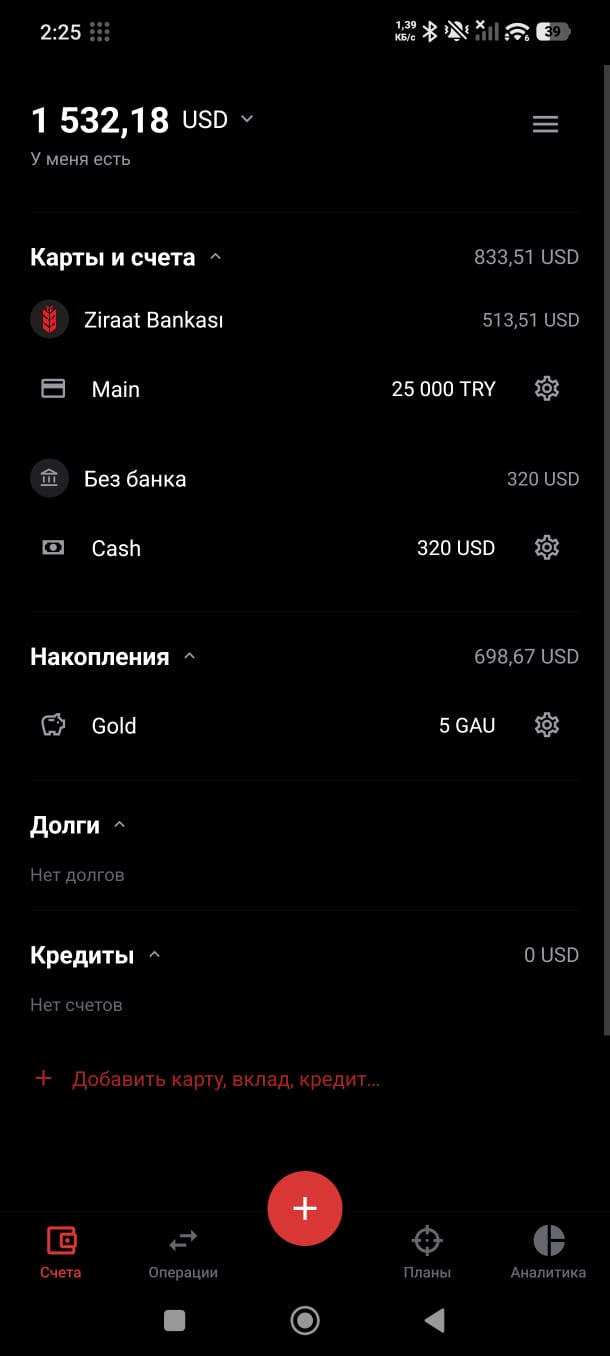
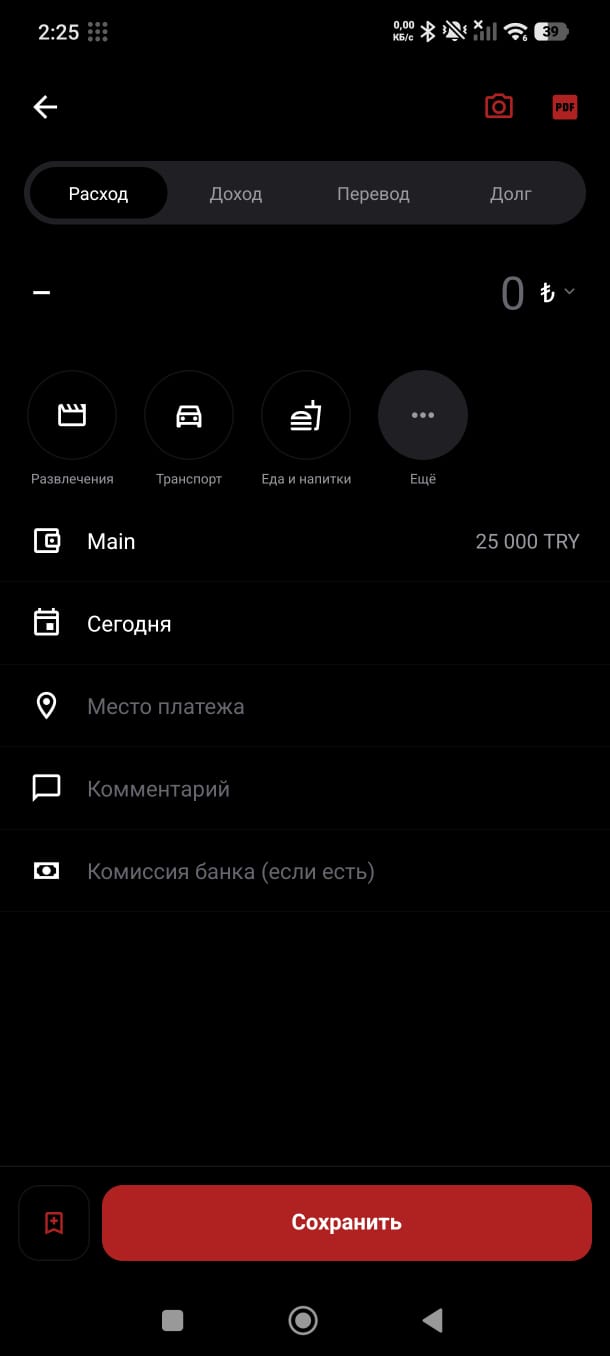
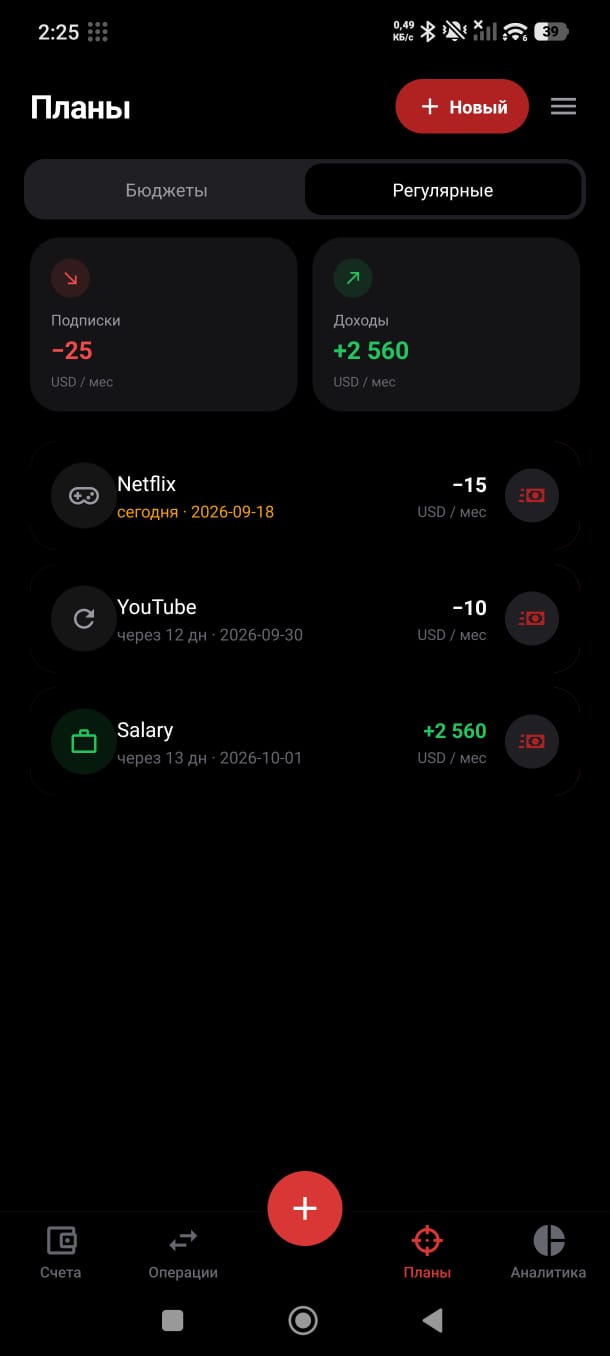
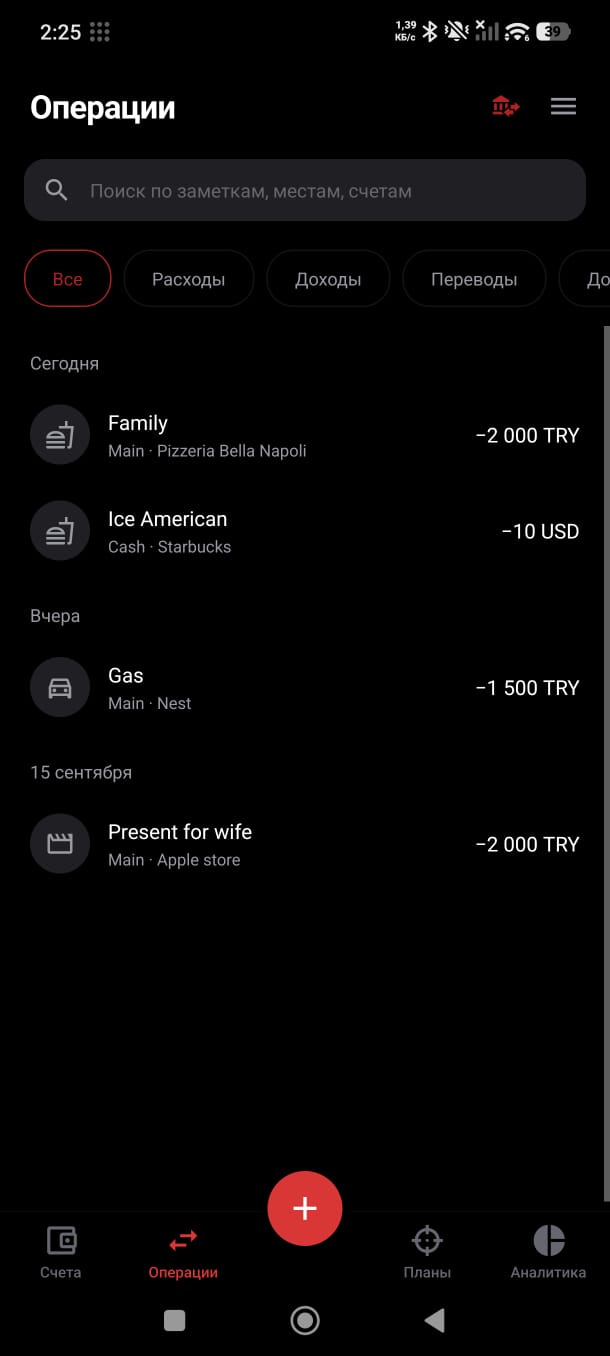
From receipt to budget in three steps
Take a photo
Point the camera at the receipt, or share a photo or PDF to ClearSlip from any app.
Check the details
The amount, date, store and category are already filled in. Correct anything with a tap.
Save
The expense goes to the right account and the receipt photo stays attached to it.
Your data stays yours
ClearSlip is developed by one person and shows no ads. Here is exactly what happens to your data.
Read the privacy policy- Data is kept on the developer's own server, in a separate database for each user. No ads and no advertising trackers.
- To read a receipt, its photo is sent to Google Gemini, or to a backup AI model through OpenRouter. Type the expense in by hand if you prefer not to send it.
- Crash reports (Sentry) contain no amounts, names or receipt photos.
- You can delete your account with all its data from the app at any time.
How to install
ClearSlip is not on Google Play yet, so Android asks you to confirm the installation once. New versions are published on this page.
Download APKDownload the APK on your Android phone.
Open the downloaded file. If Android asks, allow your browser or file manager to install apps.
If Google Play Protect warns about an unknown app, tap “More details”, then “Install anyway”.
Open ClearSlip and create an account with a username and password.
Questions
Is ClearSlip free?
Yes. There are no ads and no subscriptions. Receipt recognition is limited to 50 scans per day per account so the service can stay free. If you want to help, use the support button below.
Is there an iPhone version?
Not yet. For now ClearSlip is available for Android only.
Does it work without internet?
You can add expenses offline; they are sent as soon as the connection returns. Scanning receipts and importing statements need internet.
Which banks are supported?
Full statement import works with Ziraat Bankası for now. PDF transfer receipts from other banks are read by AI, and accounts at any bank can be kept by hand.
How accurate is receipt recognition?
Clear receipts are read well, but AI can make mistakes on faded or crumpled paper. Receipts sent for background scanning are marked “Review” so you can check them.
How do I delete my data?
Open the Account screen in the app and choose to delete your account. Operations, receipts and accounts are erased immediately. You can also ask the developer by email.
What's new
1.1.0, September 2026
Home screen widgets in 4×1, 1×4 and 1×1 sizes. Background receipt scanning with a “Review” mark. A number pad for correcting balances. A smaller app.
1.0, September 2026
Shopping lists with price estimates. Instant start without internet. Templates synced to your account. Import files through the system Share menu.
0.9, September 2026
Product analytics and price comparison between stores. Gold as a currency. Debts in several currencies, bank logos and six languages.
0.8, August 2026
Ziraat Bankası statement import that sorts transfers and fees and matches them with paper receipts.
0.5 to 0.7, summer 2026
Accounts, cards and savings. First version of AI receipt recognition, conversion at live rates and budget limits.
ClearSlip is in beta. Mistakes are possible, so check your balances from time to time and tell me if something goes wrong.
Questions, ideas and bug reports: yamaladec@gmail.com
Support the project